Delete Faces |
  
|
Delete Faces |
|
Calling the command:
Icon |
Ribbon |
|---|---|
|
3D Model > Special > Surfaces > Delete Faces Surfaces > Operations > Delete Faces |
Keyboard |
Textual Menu |
<3ZD> |
Operation > Surfaces > Delete Faces |
General concepts
This command allows deleting one or several selected faces. Face deletion breaks solid body topology. The introduced voids invalidate the closed volume. If required, the system can attempt healing those by various means. Otherwise, the result will be a surface body.
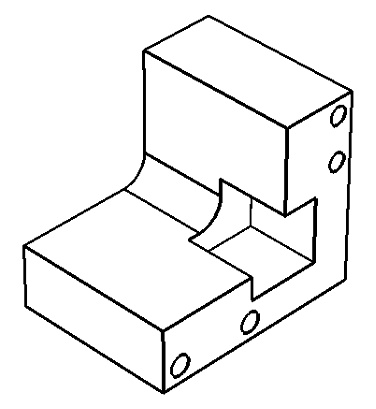
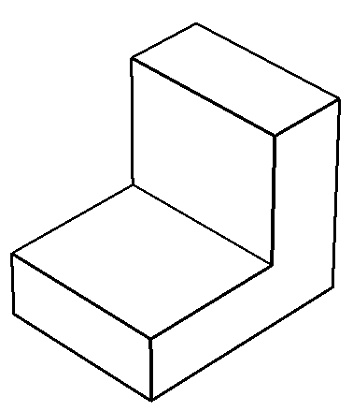
The operation is used in surface and solid modeling, when local changes to the model topology are desired, without affecting the original relations. It can also be helpful when preparing a model to finite element analysis, for such tasks as removal of small model features that are insignificant to the calculations.
You can directly select the faces to delete by explicitly picking the faces to delete. Alternatively, you can indirectly specify such faces. In this way, you either select a chain of edges surrounding the faces to delete, or a face on which the faces being deleted are dependent.
Using the command
Upon calling the command, do the following:
3.Set additional parameters (optional).
4.Confirm operation creation.
Topics in this section:
•Healing Methods of Deleting Faces
