Healing Methods of Deleting Faces |
  
|
Healing Methods of Deleting Faces |
|
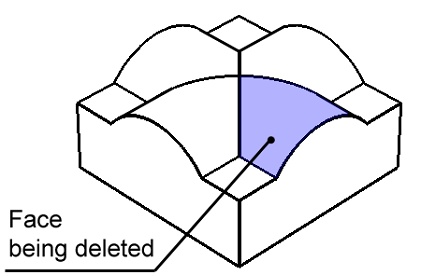
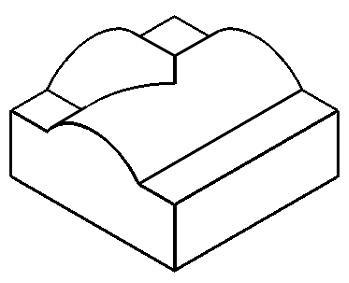
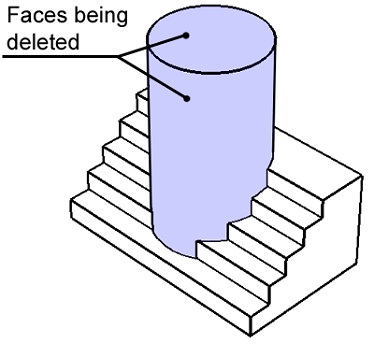
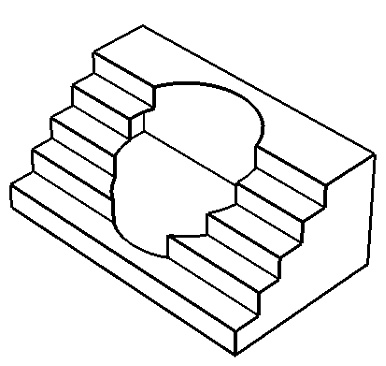
In the Delete Faces command the Healing method parameter determines the system actions after deleting the selected elements. It instructs whether to close the introduced voids, and, if so, how. Following methods are available:

•No healing
In this case, the system just deletes the select faces, leaving the resulting void in the model as is. If the original operation was a solid, then the model will lack the closed volume after the deletion, and will become a surface body.
•Cap
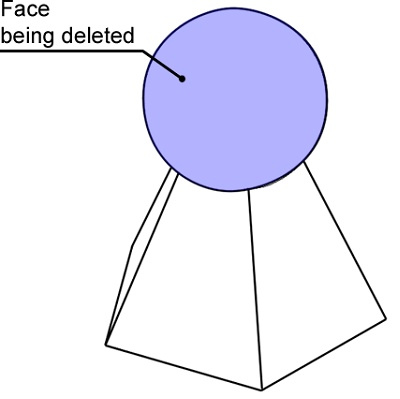
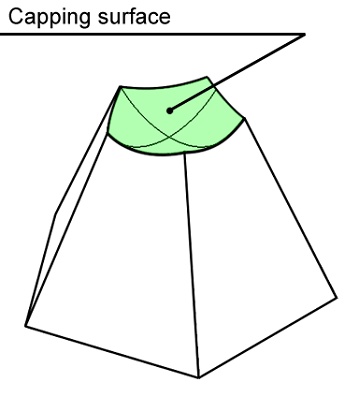
In this way, upon deleting the faces the system tries to form a surface for closing the resulting void. The capping surface must pass through all edges surrounding the void. As a result, this method works in the cases, when all edges surrounding the voids are obtained by an intersection with a single surface. This actually becomes the capping surface.
•Grow from parents
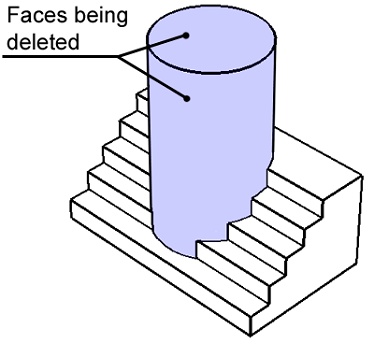
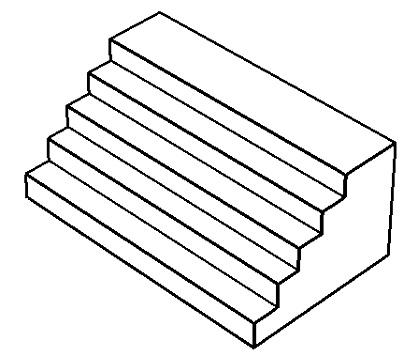
In this method, the system tries to close the voids caused by surface deletion by growing the faces adjacent to the deleted faces.
•Shrink
In this method, the system tries to close the voids caused by surface deletion not only by growing the faces adjacent to the deleted (as in the previous method), but also by trimming them.